
Main Dashboard
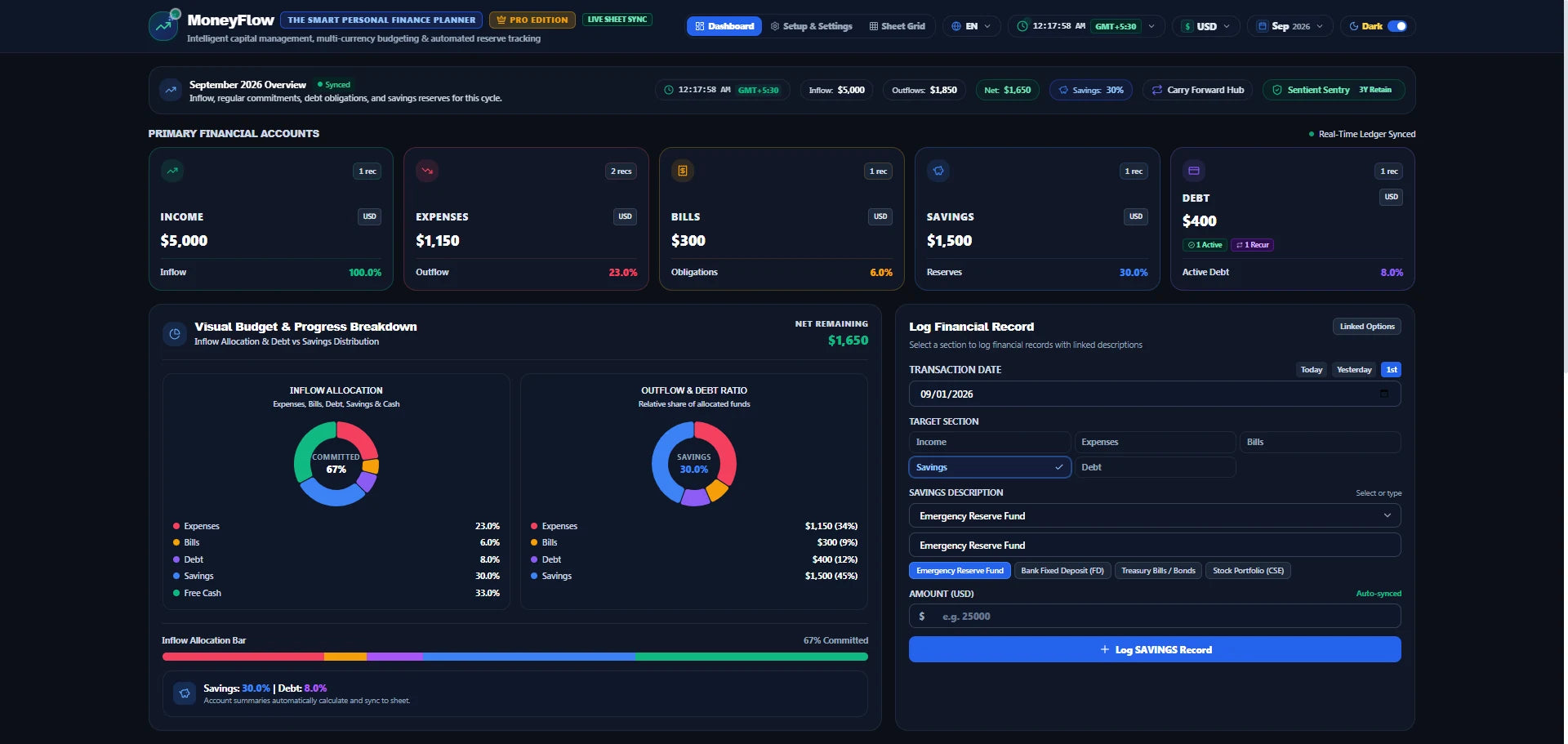
Review income, expenses, bills, savings, debt, free cash, monthly targets and visual budget breakdowns.
MoneyFlow™ is a structured Google Sheets personal finance planner for organizing income, expenses, bills, savings, debt and monthly targets in one connected workspace.
The storefront uses the current MoneyFlow™ interface and feature set shown in the supplied product screens — not fabricated dashboard mockups.
Review income, expenses, bills, savings, debt, free cash, monthly targets and visual budget breakdowns.
Set monthly targets for income, expenses, bills, savings, debt and free cash, then compare results against those targets.
Track financial obligations, due dates, payment timing and upcoming commitments from the planner interface.
Record debt type, description, status, payment frequency and amount while keeping obligations visible in your planning workflow.
Track savings records and targets, including reserve amounts and the savings categories configured in your planner.
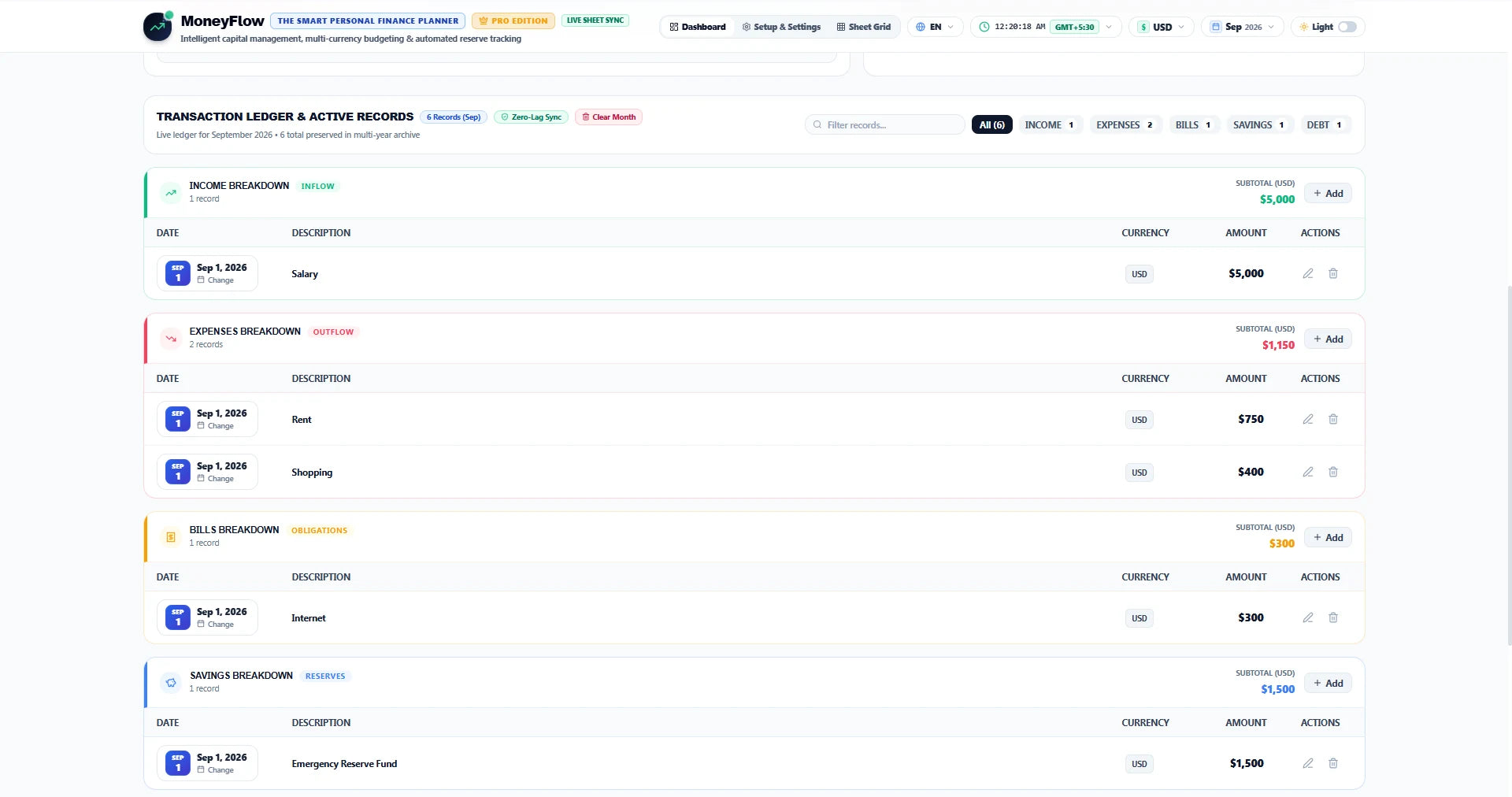
Log records with dates, descriptions, currencies, amounts, due dates and actions through structured financial tables.
Move savings reserves and recurring or installment commitments between monthly planning cycles.
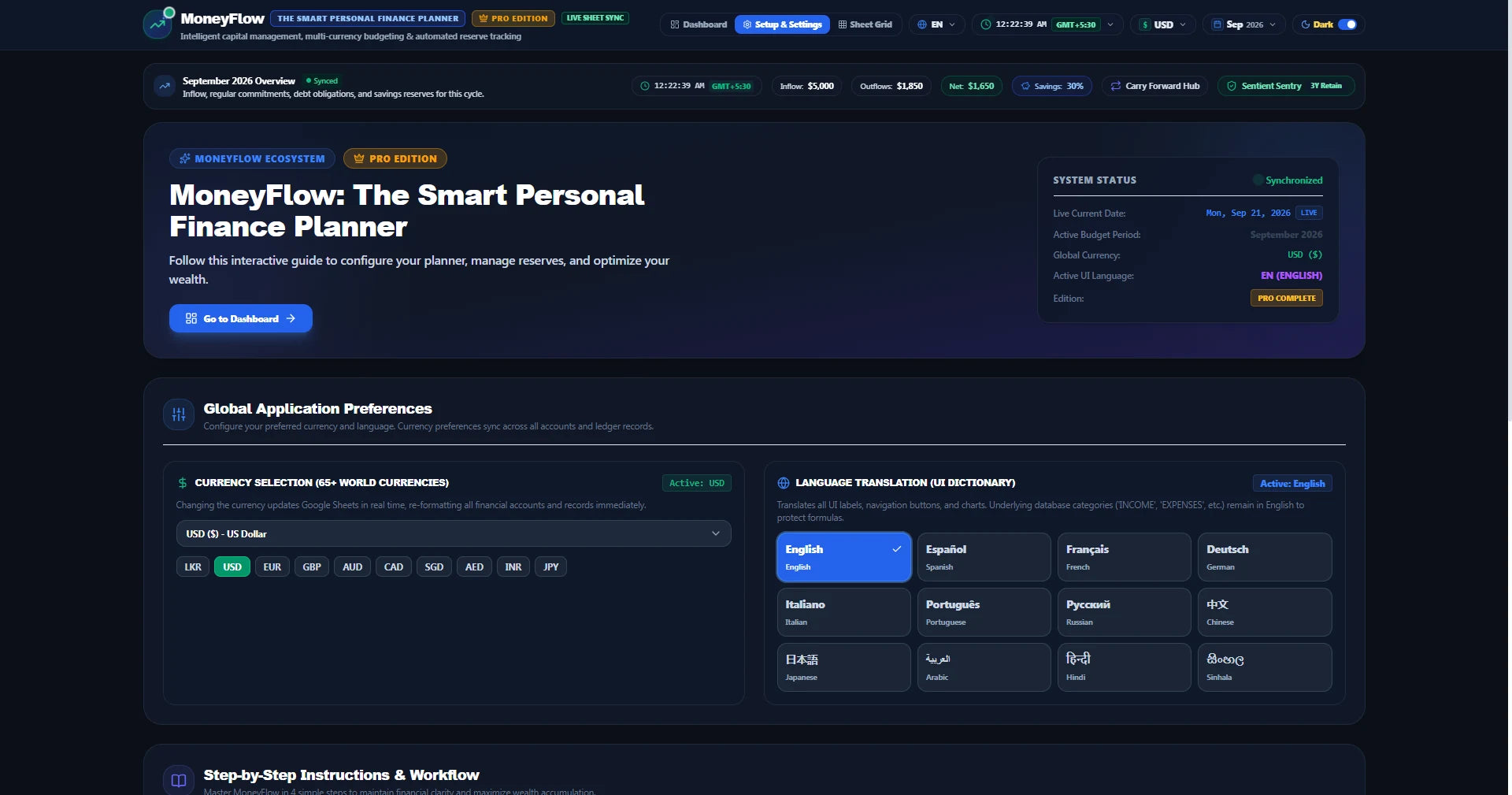
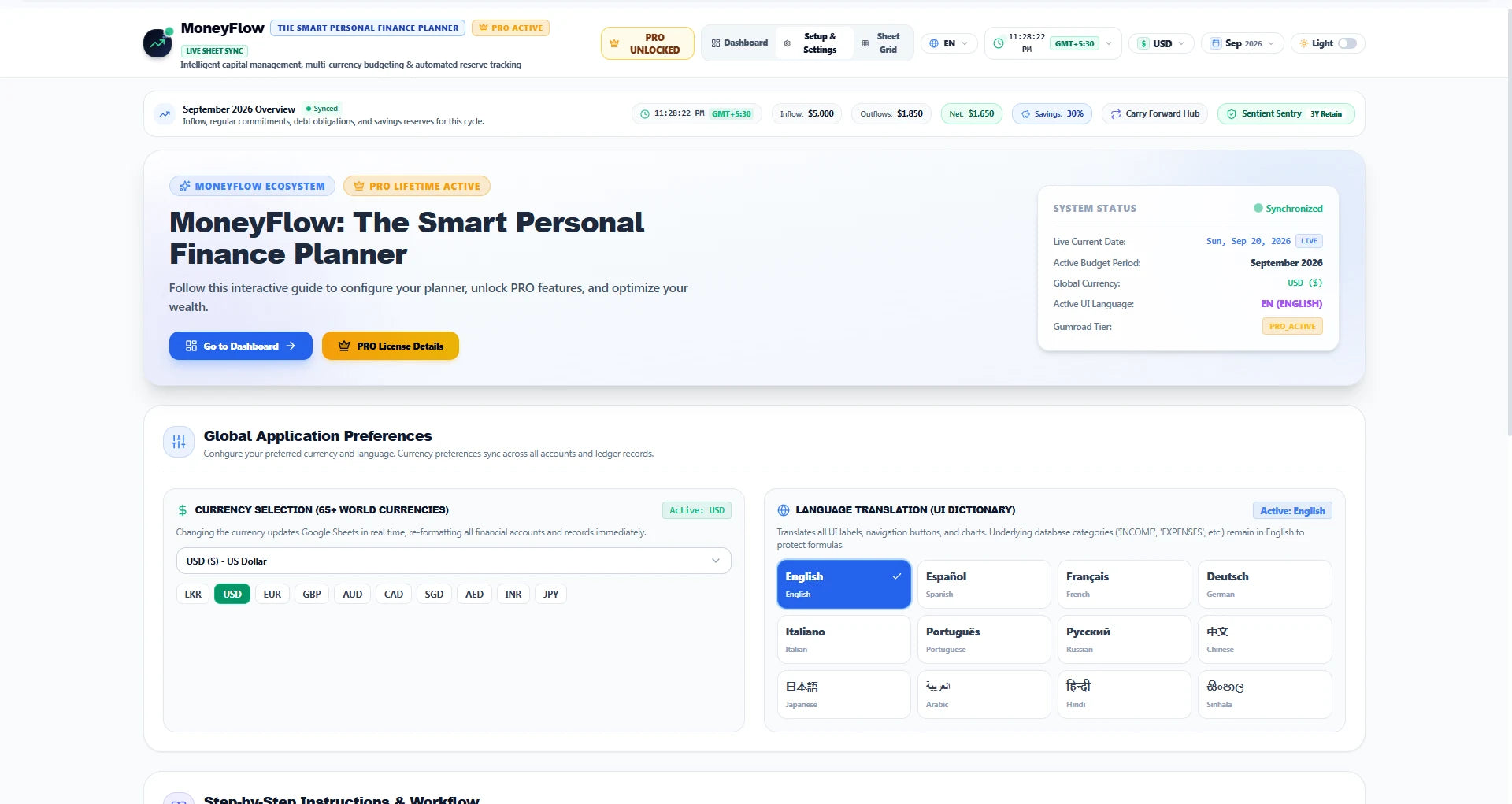
Choose from the current interface's 65+ currency options and 12 language options to personalize your workspace.
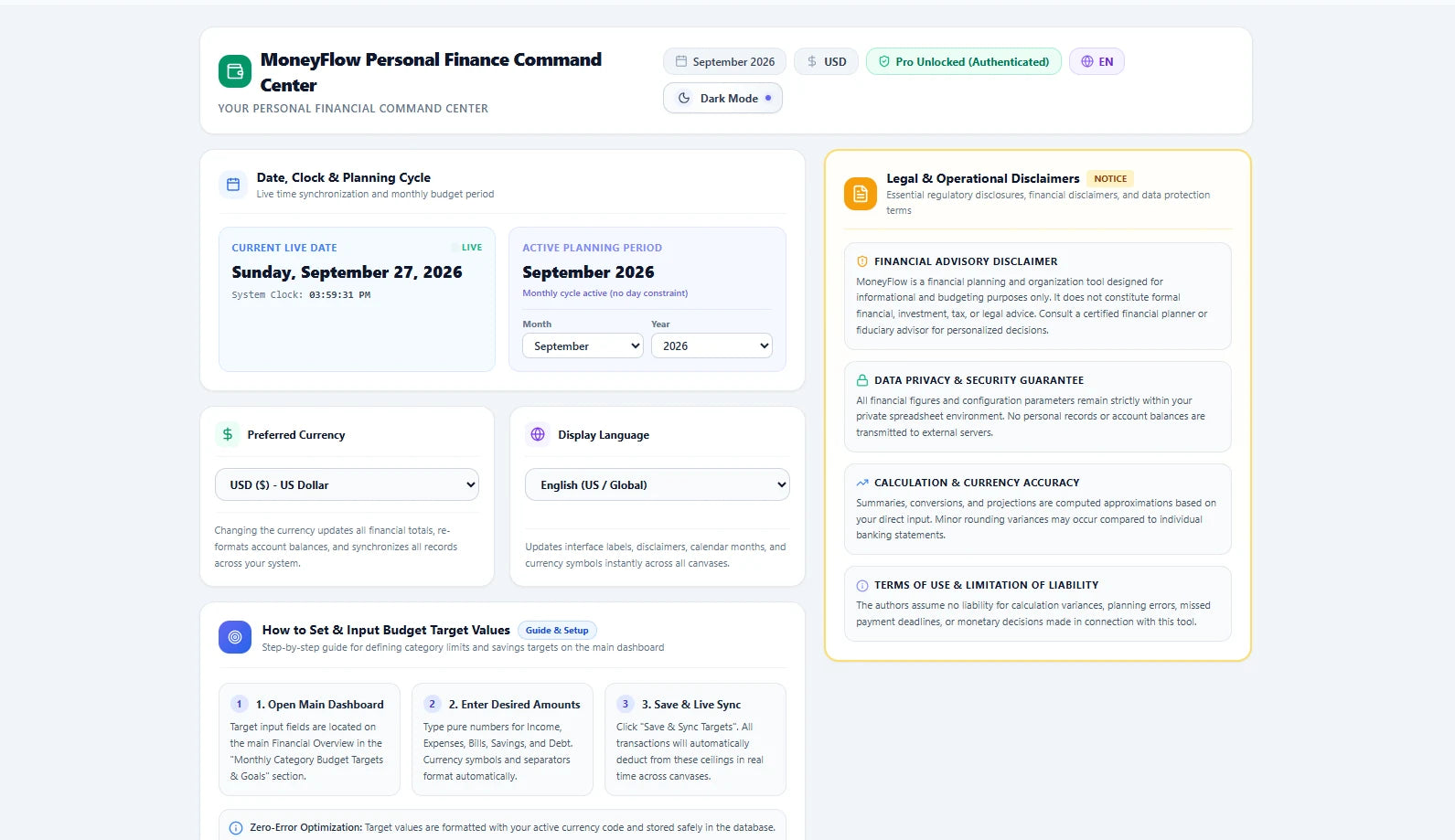
Configure the planning period, preferred currency, display language, budget targets and other planner settings from one control center.
Use the structured database to manage categories, accounts, payment methods, debt types and transaction types.
These are supplied screenshots from the current planner interface, including dashboard, settings, records, language and currency, carry-forward and dark-mode views.
See core account totals, monthly targets, budget progress, allocation charts and the financial record workflow together.
Set the live date and clock view, active planning period, preferred currency, display language, budget target inputs and review the product's legal and operational notices.
The planner interface is shown in both light and dark presentations for different working environments.
Review income and expense records with dates, descriptions, due dates, currencies, amounts and available actions.
Choose your preferred currency and interface language. The supplied interface currently displays 65+ currency options and 12 language options.
Review savings carry-forward and recurring or installment rollover information as you transition between monthly planning cycles.
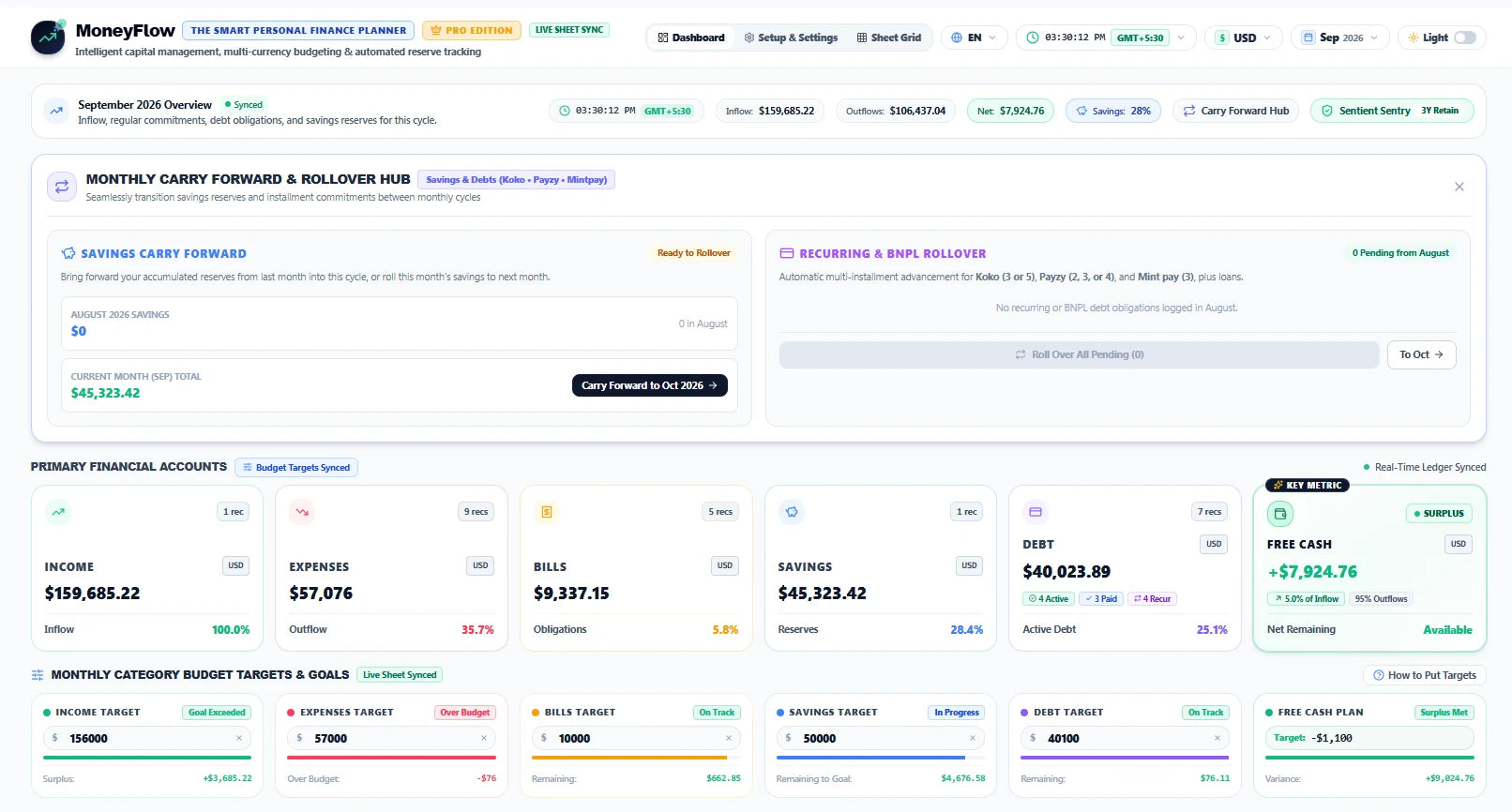
The dashboard brings accounts, targets, charts, records and financial planning controls into one working view.
After purchase and delivery, open the Google Sheets template and make your own copy in your Google Drive.
Set your preferred currency, display language, planning period, categories and monthly budget targets.
Log your financial records and use the dashboard, targets, charts, debt, savings, bills and rollover views to review your planning cycle.
MoneyFlow™ is delivered as a Google Sheets template. Your working copy is stored in the Google Drive account where you make the copy, subject to Google's services, sharing controls and policies.
You need a Google account with access to Google Sheets. The planner is delivered as a Google Sheets template that you copy into your own Drive.
Your working copy lives in the Google Drive account where you make the copy. MoneyFlow™ itself is the spreadsheet template; Google's services, permissions and policies still apply to your account and data.
The current supplied interface displays 65+ currency options. Exact availability and formatting are determined by the product's current configuration.
The current supplied interface displays 12 language options: English, Spanish, French, German, Italian, Portuguese, Russian, Chinese, Japanese, Arabic, Hindi and Sinhala.
No recurring MoneyFlow™ subscription is intended. You purchase the digital template once; Google and any third-party services you use remain subject to their own terms.
It means there is no recurring MoneyFlow™ subscription fee for continued use of the purchased template. Your continued access also depends on the availability of Google Sheets and your Google account.
No. MoneyFlow™ is a budgeting and financial organization tool. It does not provide personalized financial, investment or tax advice.
Select the MoneyFlow™ product in Theme Editor to display its Shopify price. Keep using your purchased template without a recurring MoneyFlow™ subscription.
One-time purchase. Lifetime use of your purchased template. No recurring MoneyFlow™ subscription.